
The first 10 economics reports use the same report options (with the exception of the ADHOC - Var-Acr Attr-Bat Time-Dwn (Duration) report), and can be configured to display the same information about your economic variables. Use these reports to compare how variable values change through time based on the Variables you choose to include in your report and the time span of your report. The only distinction between these reports is the layout in which your data will be displayed.
Report Options (Basic Economic Reports)
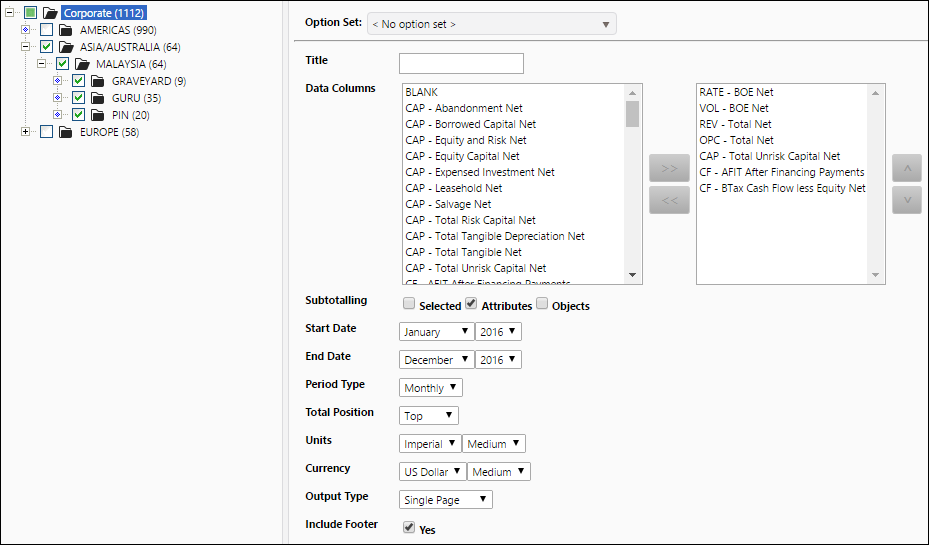
The following report option setup and data selection were used to generate all ten of the example reports below. It should be noted that the ADHOC - Var-Acr Attr-Bat Time-Dwn (Duration) report's options vary slightly, but the example report was created using the same data and time span as the other examples.
Click image to expand or minimize.
Example Reports
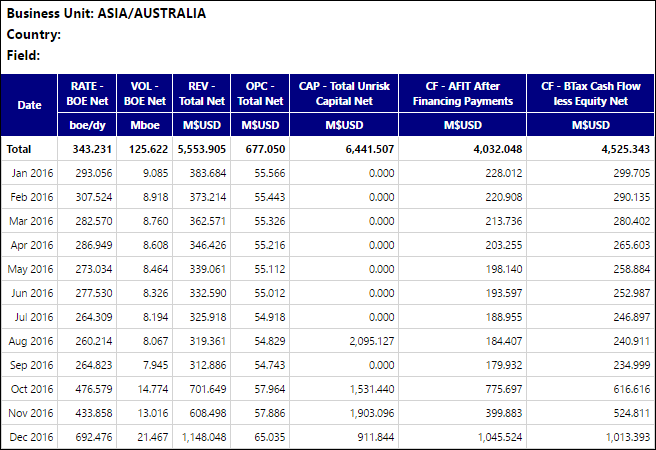
1. ADHOC - Var-Acr Attr-Bat Time-Dwn
Click image to expand or minimize.
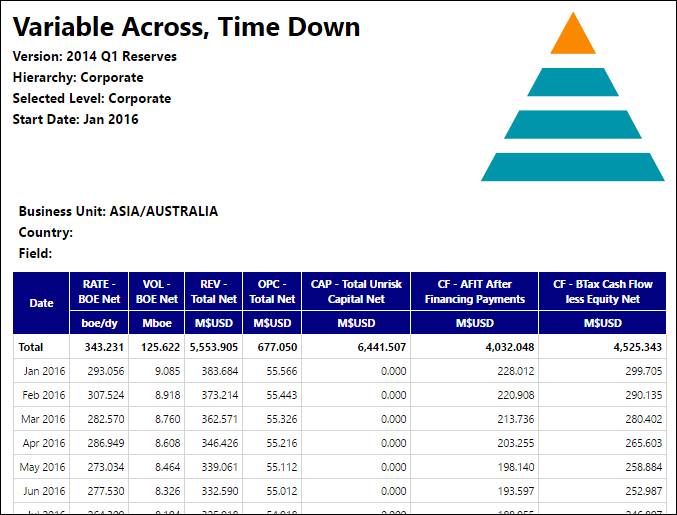
2. ADHOC - Var-Acr Attr-Bat Time-Dwn (with Logo)
Click image to expand or minimize.
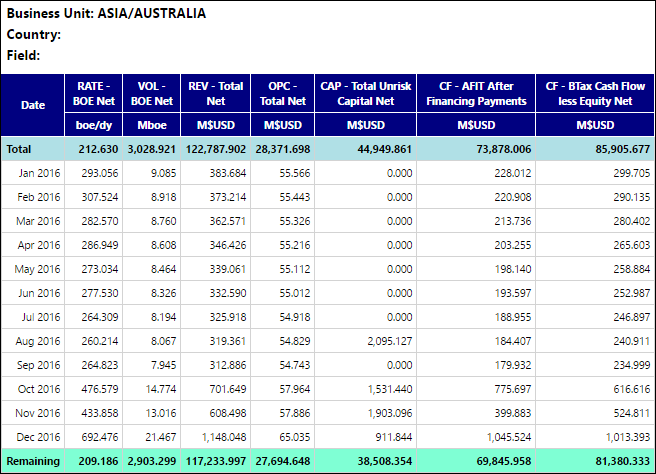
3. ADHOC - Var-Acr Attr-Bat Time-Dwn (Duration)
Click image to expand or minimize.
4. ADHOC - Var-Acr Attr-Dwn Time-Bat
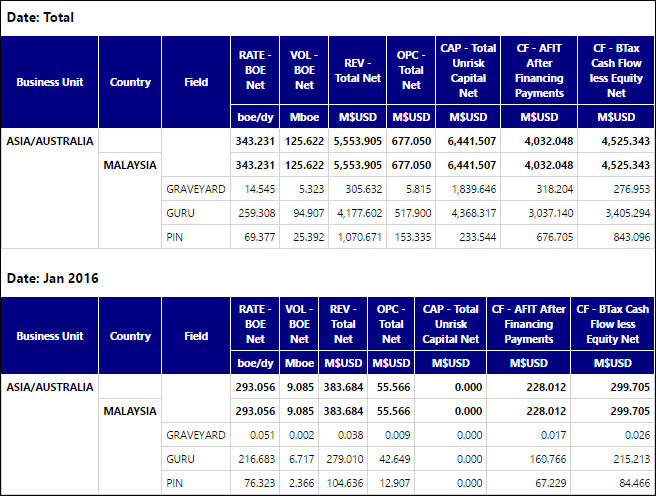
Click image to expand or minimize.
5. ADHOC - Var-Acr 1 Attr-Acr 2 Time-Bat
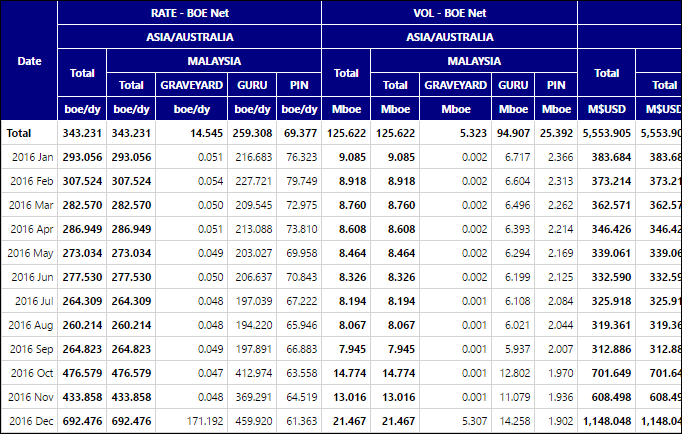
Click image to expand or minimize.
6. ADHOC - Var-Acr 1 Attr-Dwn Time-Acr 2
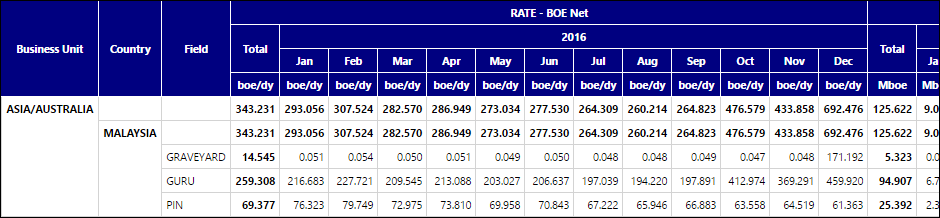
7. ADHOC - Var-Acr 2 Attr-Acr 1 Time-Dwn
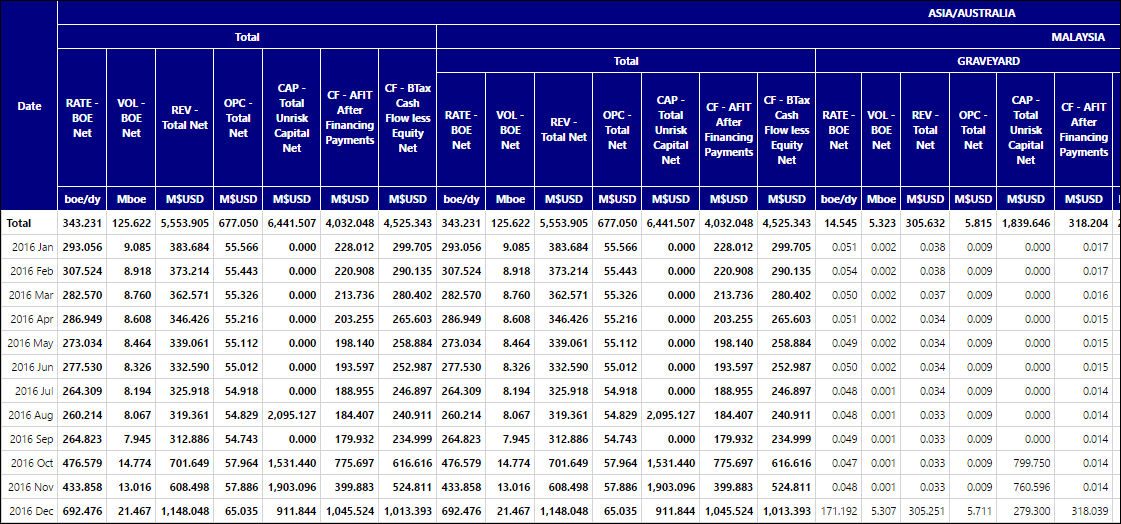
Click image to expand or minimize.
8. ADHOC - Var-Acr 2 Attr-Dwn Time-Acr 1
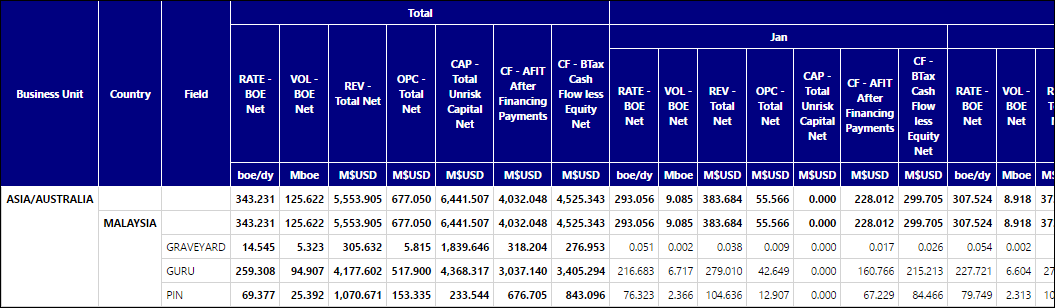
Click image to expand or minimize.
9. ADHOC - Var-Bat Attr-Acr Time-Dwn
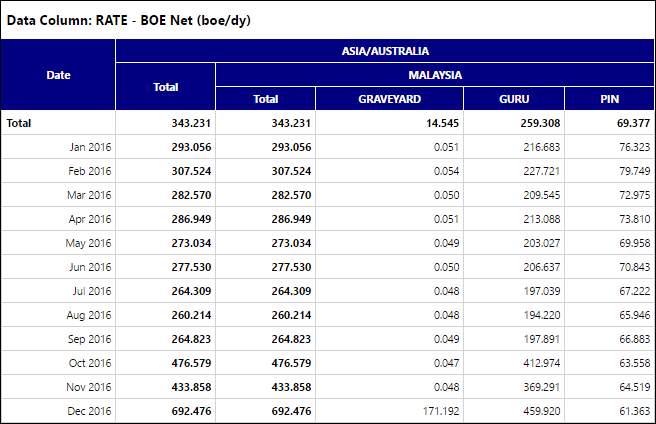
Click image to expand or minimize.
10. ADHOC - Var-Bat Attr-Dwn Time-Acr
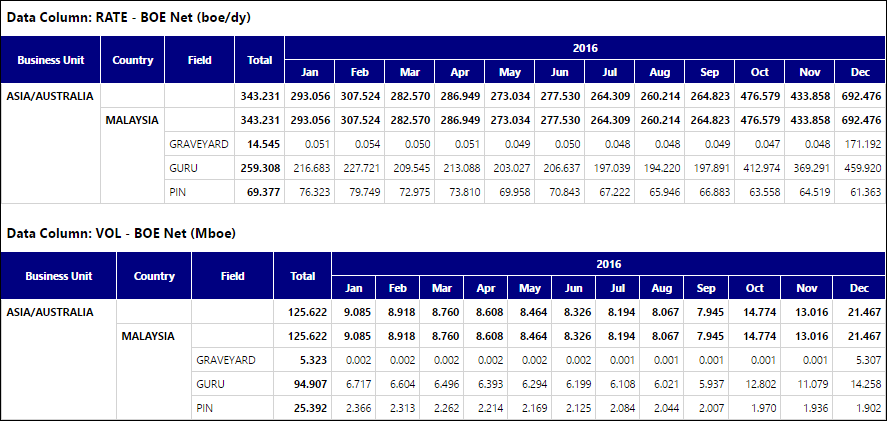
Click image to expand or minimize.