Report Overview
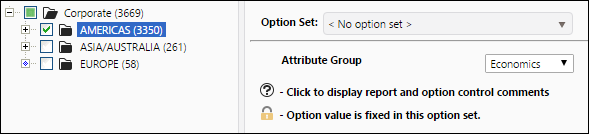
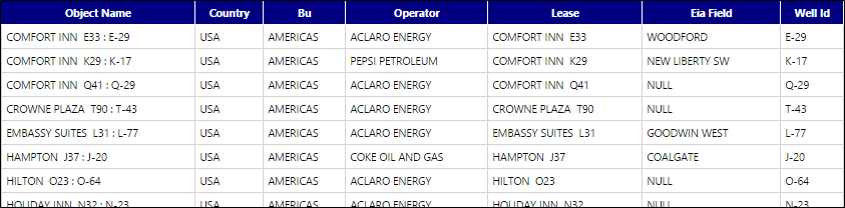
Use the Attribute Summary report to generate a table that will list attribute values for all of the objects you select from your hierarchy, based on an Attribute Group you choose to run the report. Running this report in its default configuration will generate a report that includes all of the attributes configured in your Reserves instance. In the example report below, only attributes included in the ‘Economics’ attribute group were included in the report.
Example Report
Report Options