Report Overview
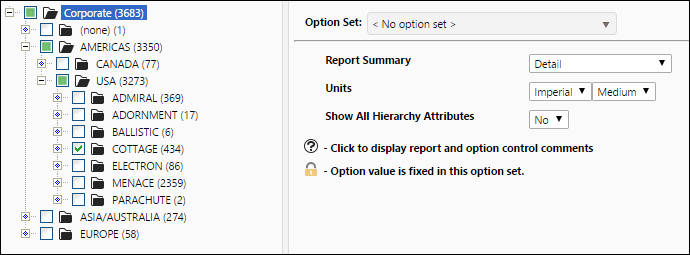
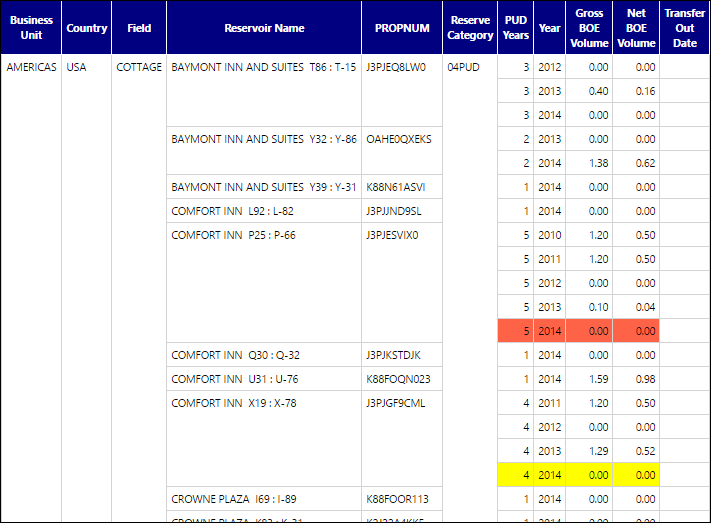
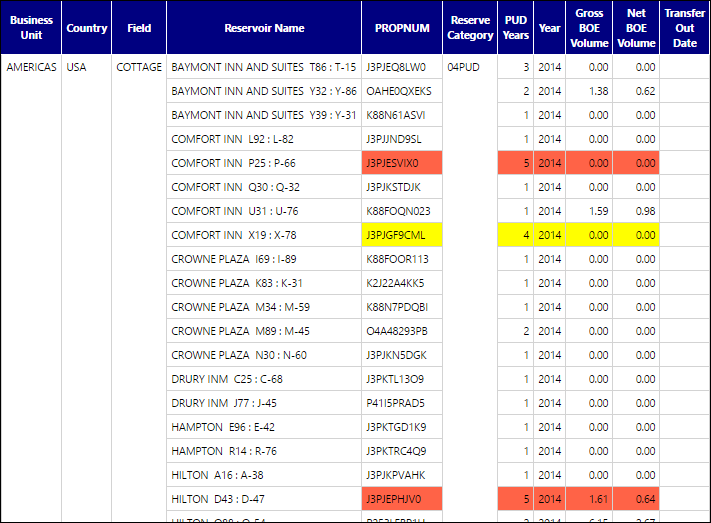
Use the PUD Aging report to generate a table displaying all of your reservoirs containing PUD (proved undeveloped) reserves. The most detailed version of this report will generate a table that displays the name of each reservoir containing PUD reserves, the age of the PUD reserves, and the gross and net volumes of your PUD reserves for each reservoir. Additionally, if PUD volumes have been transferred into a different reserve category, the effective date of the reserves transfer will also be listed on this table. Use the Report Summary report option to change the quantity of information displayed in the completed report. Selecting the Detail option will allow you to see the balance of your PUD reserves in previous years. Selecting the Summary option (see the example below) will display PUD volumes at the effective date of the report. Lastly, choose the Summary (Warning Only) option to only display PUD reserves that have existed for 4 or 5 years. Examples of all three variants of this report can be found below.
- Yellow cells indicate fourth-year PUD reserves.
- Red cells indicate fifth-year PUD reserves.
Example Reports
Depending on the Report Summary option you select, this report will appear in three different ways.
Click image to expand or minimize.
Click image to expand or minimize.

Report Options