
Report Overview
Use the Oneline Reserves and Attribute Summary report to view balance and adjustment information for the objects you select from your hierarchy based on the Reserve Category Group, Product Group and Attributes you choose for the report. The table generated by this report will show:
- Balance and adjustment information for each product included in the product group you choose to run the report, categorized according to the change categories included in the change category group selected for the report.
- Subtotaling at the level of each attribute selected for the report.
Example Report
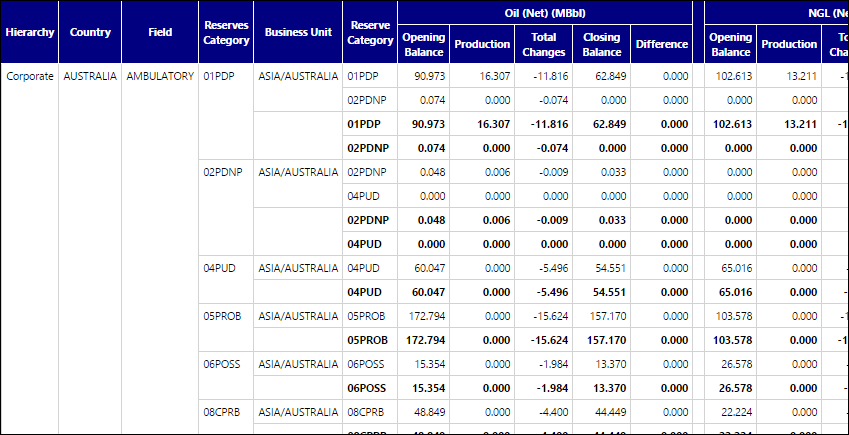
Click image to expand or minimize.
Report Options
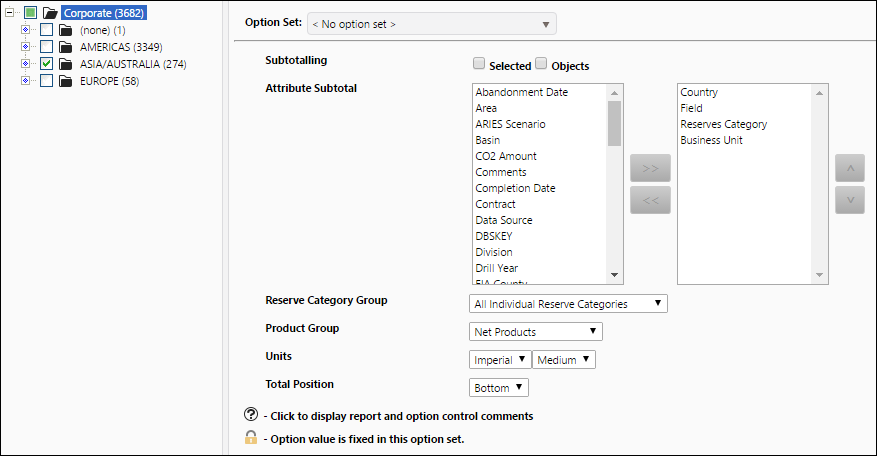
Click image to expand or minimize.