Report Overview
Use this report to view how your reserves volumes vary between snapshots. Values in your report will be categorized based on the Reserve Category Group and a Product Group you choose for the report. The table generated by this report will show:
- The opening balance, closing balance, and difference (adjustments) for each product from the product group selected for the report, at the time of each snapshot. Cells in the Difference columns turn green to indicate a positive difference and red to indicate a negative difference.
- The total production for each product from the product group selected for the report.
- A separate table will be created for each reserve category included in the Reserve Category Group you select to run the report.
- Variance volumes will be emphasized in blue.
Example Report
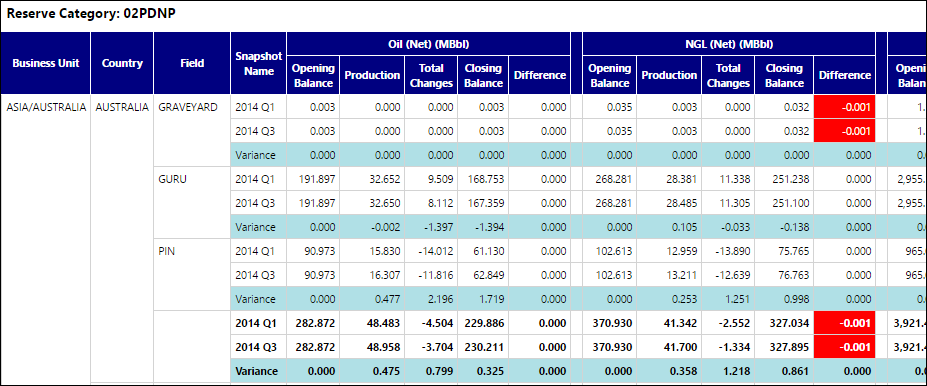
Click image to expand or minimize.
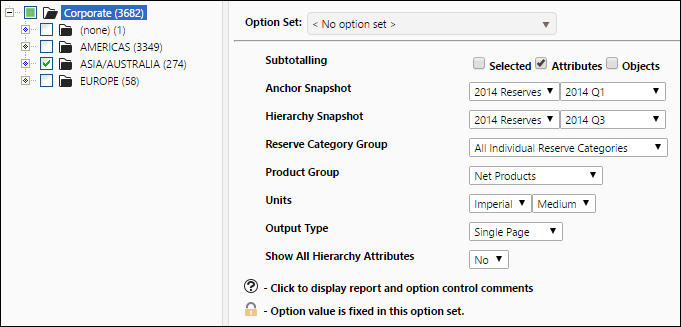
Report Options