
There are three variants of the Change Record Summary Report. The standard report, along with its three variants are described below:
008 Change Record Summary
Report Overview
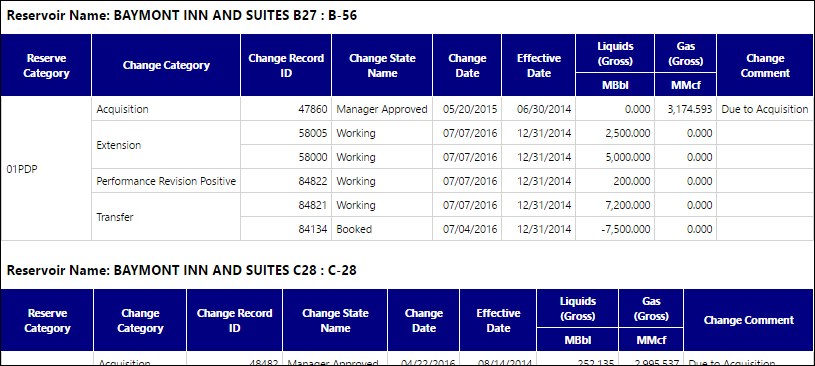
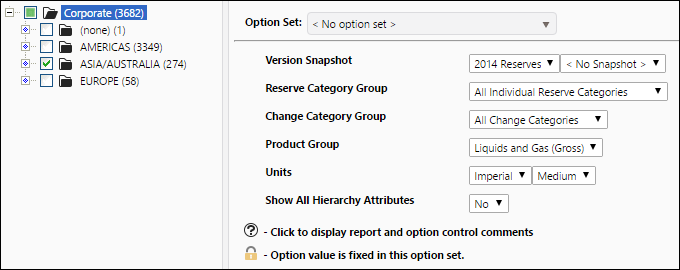
Use the Change Record Summary report to generate a list of all of the change records associated with the objects you select for the report, categorized according to reserve category. Change categories, products, and reserve categories included in the report are limited to those included in the Change Category, Product, and Reserve Category groups you select to run the report.
- Each table in the completed report will correspond with one of the objects you selected to run the report.
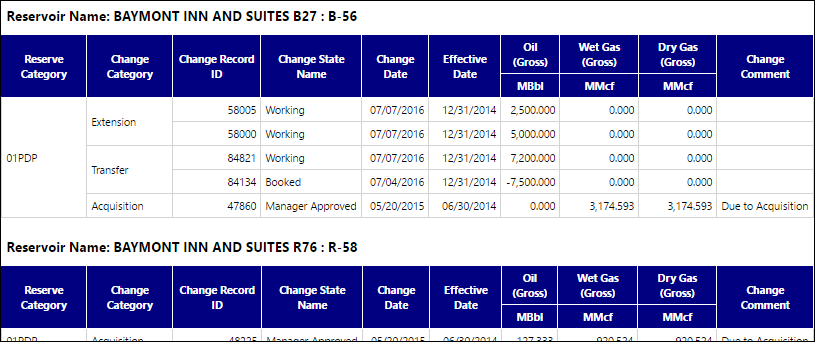
- Each table includes adjustment values, change record ID's, the effective date of the change record, and any comments associated with the change record.
- Objects selected for the report that are not associated with change records will not be included in the completed report.
Example Report
Click image to expand or minimize.
Report Options
Click image to expand or minimize.
008 Change Record Summary (Non Group Options)
Report Overview
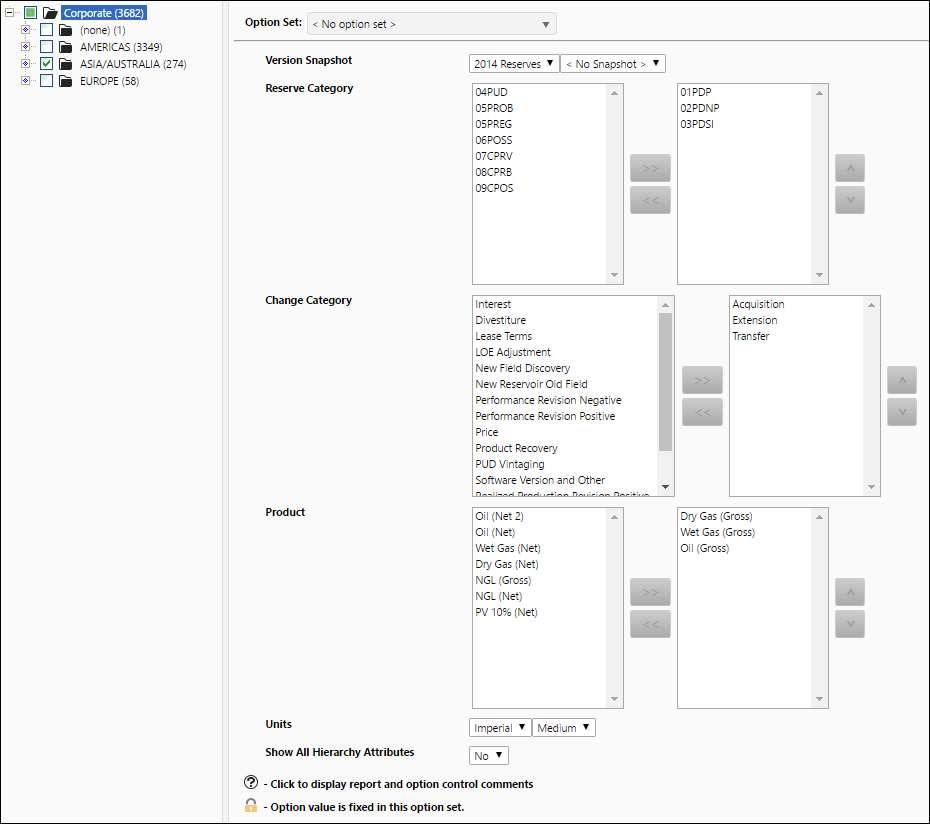
The format of the table generated by this report is identical to the one generated by the Change Record Summary report, and it will display similar information about your change records. However, the report options have changed:
- Instead of choosing Product, Reservoir Category, and Change Category groups for the report, you can now select specific products, reservoir categories, and change categories that you want to include in your report.
Example Report
Click image to expand or minimize.
Report Options
Click image to expand or minimize.
008 Change Record Summary Oneline
Report Overview
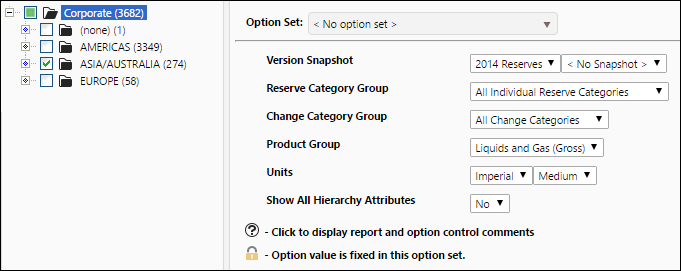
The table generated by this report will display the same type of information about your change records as the Change Record Summary report. However, all of your change record information will be added to the same table.
Example Report
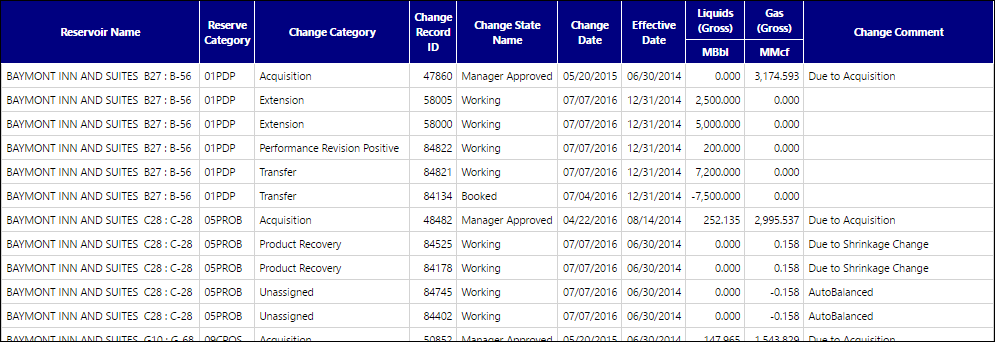
Click image to expand or minimize.
Report Options
008 Change Record Summary Oneline (Non Group Options)
Report Overview
The format of the table generated by this report is identical to the one generated by the Change Record Summary Oneline report, and it will display similar information about your change records. However, the report options have changed:
- Instead of choosing Product, Reservoir Category, and Change Category groups for the report, you can now select specific products, reservoir categories, and change categories that you want to include in your report.
Example Report
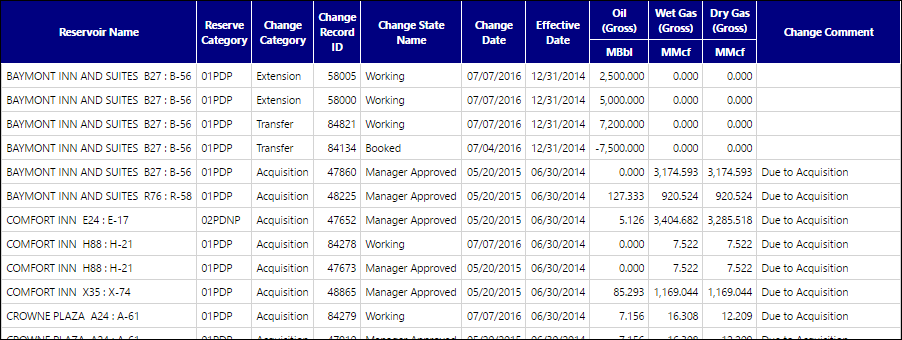
Click image to expand or minimize.
Report Options
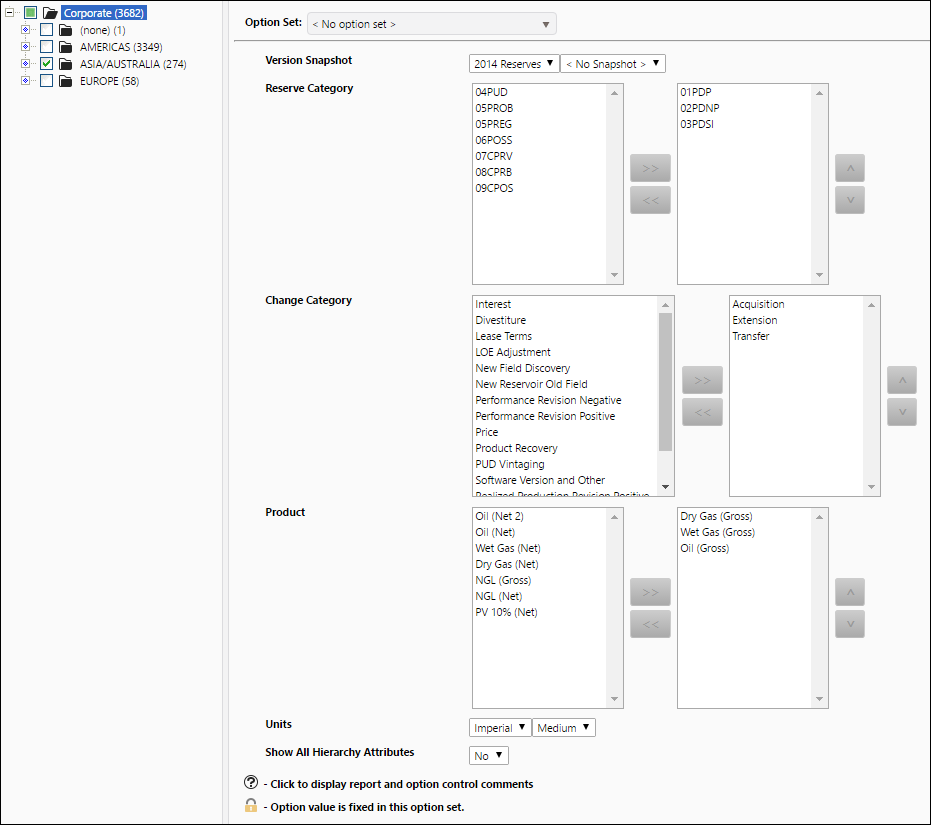
Click image to expand or minimize.