
There is a variant of the Reserves Summary Report that includes a different set of report options. The standard report and its variant are both described below:
003 Oneline Reserves Summary
Report Overview
Use the Oneline Reserves Summary Report to view information about changes in your reserves at a specified date (snapshot), based on the Reserve Category, Change Category and Product Groups you select for the report. The table generated by this report will show:
- A summary of the balances and adjustments for all objects included in the report, organized by reserve category.
- A separate table will be created for each one of the reserve categories included in the Reserve Category Group you select for the report.
- The opening balance, closing balance, and difference (adjustments) for each reserve category selected for the report. Cells in the Difference column turn green to indicate a positive difference and red to indicate a negative difference.
Example Report
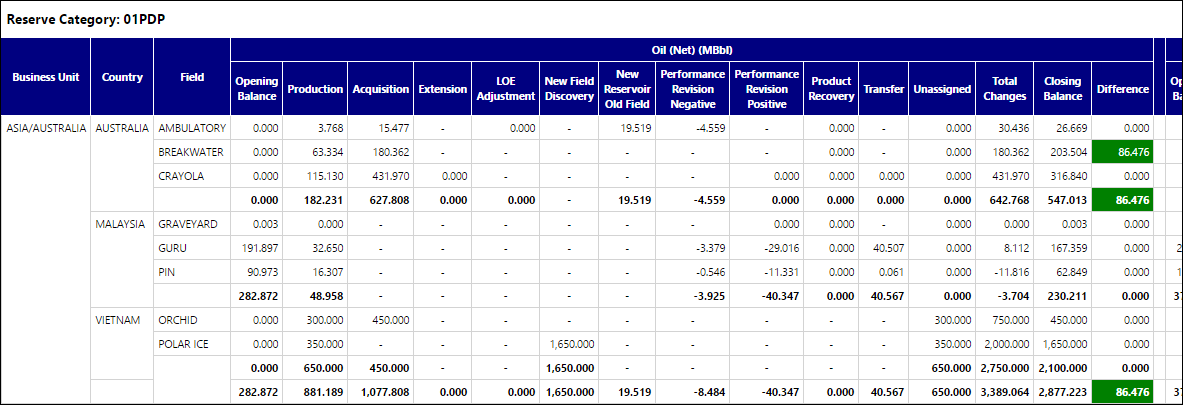
Click image to expand or minimize.
Report Options
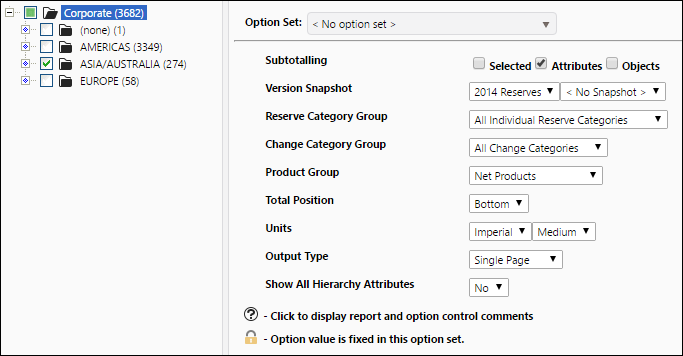
Click image to expand or minimize.
003 Oneline Reserves Summary (Non Group Options)
Report Overview
The format of the table generated by this report is identical to the one generated by the Oneline Reserves Summary report, and it will display the same type of information about your reserves. However, the report options have changed:
- Instead of selecting a product group, change category group, and reserve category group for your report, you can select specific products, change categories, and reserve categories to include in your report.
Example Report
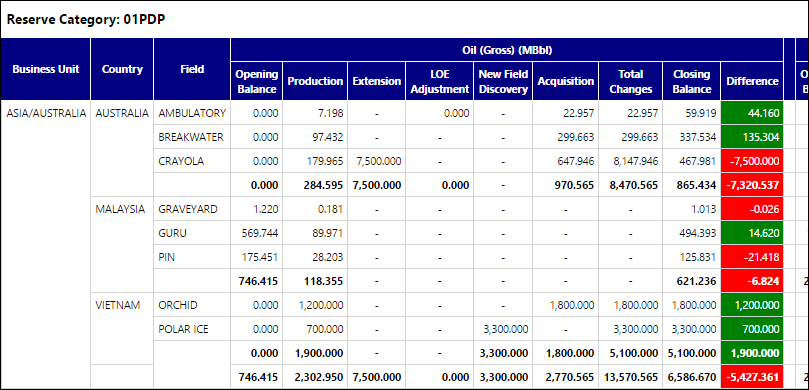
Click image to expand or minimize.
Report Options
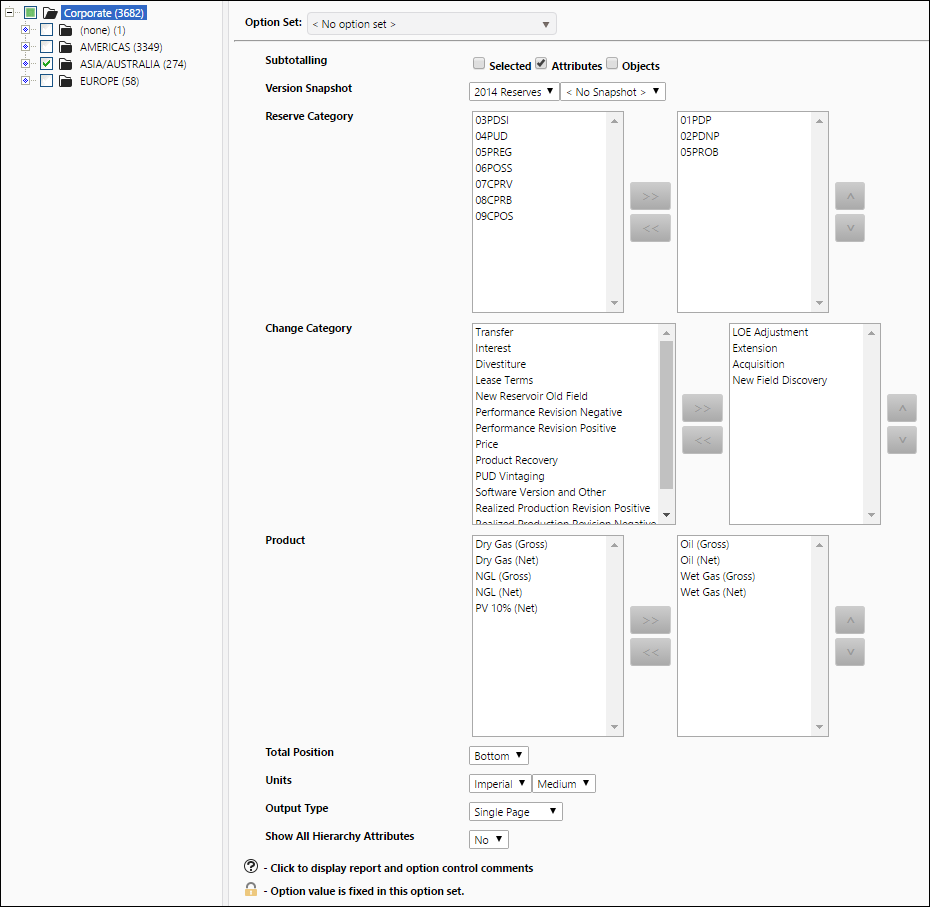
Click image to expand or minimize.