
Using the Report Wizard
The Report Wizard is a tool that allows you to easily create reports based on built-in templates. To edit an existing report, click on the report's Smart Tag and then the Design in Report Wizard link.
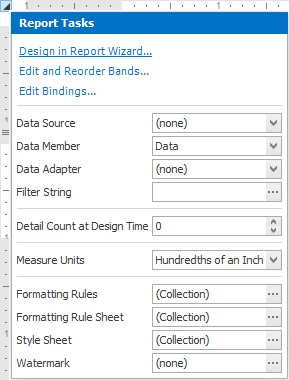
Note: In this case, data binding steps will be omitted, since a report already has a bound data source. Note that the initial report layout will be lost after completing the wizard.
The Report Wizard provides two different ways to set up your report:
- Use theStandard Report Wizard to create a banded report displaying data in a tabular format. While setting up your report, you'll be able to group data, add totals to your report, apply one of the predefined report styles, etc. For instructions, see Standard Report Wizard.
- The Label Report Wizard is useful if you need to print out labels. In this case, you're likely to purchase special label paper that meets your particular requirements. The Wizard has built-in settings for a wide range of label suppliers and their products. Simply choose the paper type, and the report is adjusted automatically. After completing the wizard, you get an empty report that clearly indicates label boundaries, and pre-positioned labels within paper sheets. For instructions on how to use this wizard, see Label Report Wizard.